
refer to:
https://groups.google.com/g/linux.debian.bugs.dist/c/A1GAuTs-9I4?pli=1
https://cloud.tencent.com/developer/article/1370854
各种排查,发现:
crontab -e 中有一条可疑记录
删除后问题依旧
/tmp 下不断地创建挖矿病毒,删除 /tmp后也不好使
clamav 不好用。
运行后提示:病毒库文件坏了
折腾半天,我的机器死机了(我去,我的是windows 啊!) 虽然我知道跟scp下来的文件 没关系,但是就是很神奇。我的64GB的内存的机器,CPU也就不超过20%,居然卡死了。
virustotal 的提示:
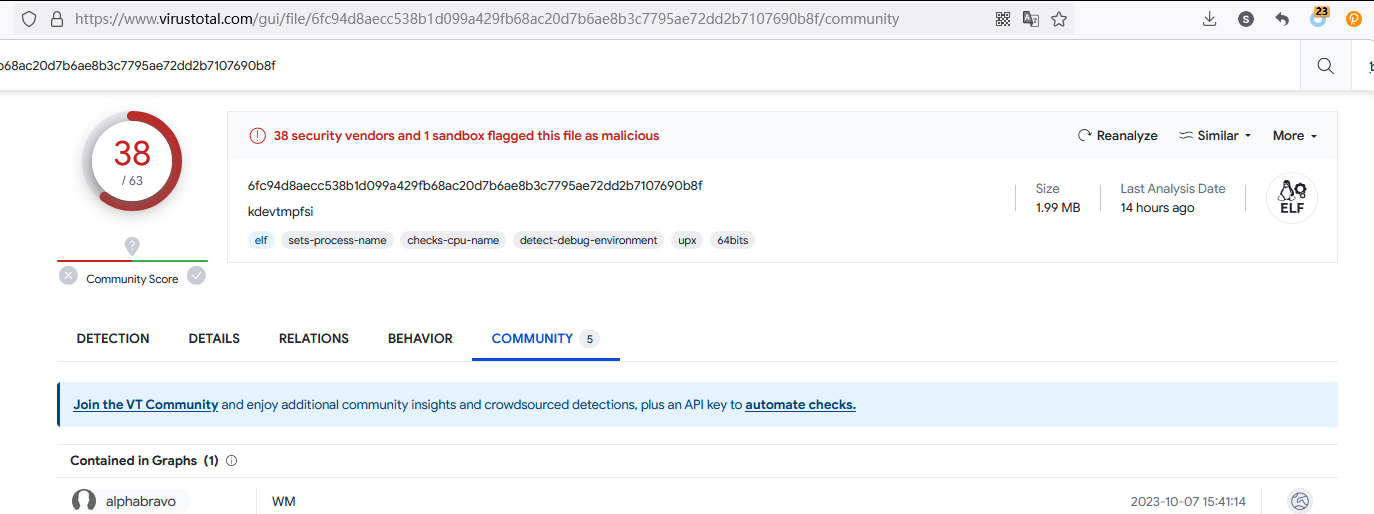
没办法,先把问题解决再说吧。否则每分钟kill 一次真的很烦。
自动停止进程的ruby脚本
require 'rufus-scheduler'

scheduler = Rufus::Scheduler.new

scheduler.every '10s' do
  command = "kill -9 `ps -ef | grep kdevtmpfsi | awk {'print $2'}`"
  `#{command}`
end

scheduler.join
gem install rufus-scheduler
setsid nohupt ruby kill_virus.rb &
就可以了。
/etc/data 目录下多了两个文件 kinsing libsystem.so
果断删掉
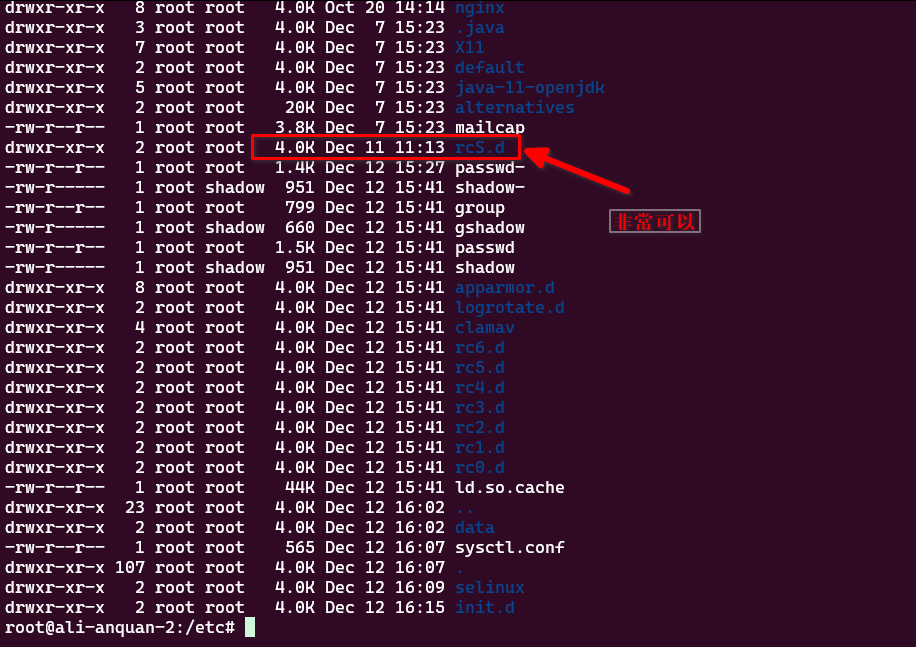
/etc/init.d/x11-common 文件有问题。
果断删掉。内容如下:
root@ali-anquan-2:/etc# cat init.d/x11-common
#!/bin/sh
# /etc/init.d/x11-common: set up the X server and ICE socket directories
### BEGIN INIT INFO
# Provides:          x11-common
# Required-Start:    $remote_fs
# Required-Stop:     $remote_fs
# Default-Start:     S
# Default-Stop:
# Short-Description: set up the X server and ICE socket directories
### END INIT INFO

set -e

PATH=/usr/bin:/usr/sbin:/bin:/sbin
SOCKET_DIR=.X11-unix
ICE_DIR=.ICE-unix

. /lib/lsb/init-functions
if [ -f /etc/default/rcS ]; then
  . /etc/default/rcS
fi

do_restorecon () {
  # Restore file security context (SELinux).
  if which restorecon >/dev/null 2>&1; then
    restorecon "$1"
  fi
}

# create a directory in /tmp.
# assumes /tmp has a sticky bit set (or is only writeable by root)
set_up_dir () {
  DIR="/tmp/$1"

  if [ "$VERBOSE" != no ]; then
    log_progress_msg "$DIR"
  fi
  # if $DIR exists and isn't a directory, move it aside
  if [ -e $DIR ] && ! [ -d $DIR ] || [ -h $DIR ]; then
    mv "$DIR" "$(mktemp -d $DIR.XXXXXX)"
  fi

  error=0
  while :; do
    if [ $error -ne 0 ] ; then
      # an error means the file-system is readonly or an attacker
      # is doing evil things, distinguish by creating a temporary file,
      # but give up after a while.
      if [ $error -gt 5 ]; then
        log_failure_msg "failed to set up $DIR"
        return 1
      fi
      fn="$(mktemp /tmp/testwriteable.XXXXXXXXXX)" || return 1
      rm "$fn"
    fi
    mkdir -p -m 01777 "$DIR" || { rm "$DIR" || error=$((error + 1)) ; continue ; }
    case "$(LC_ALL=C stat -c '%u %g %a %F' "$DIR")" in
      "0 0 1777 directory")
        # everything as it is supposed to be
        break
        ;;
      "0 0 "*" directory")
        # as it is owned by root, cannot be replaced with a symlink:
        chmod 01777 "$DIR"
        break
        ;;
      *" directory")
        # if the chown succeeds, the next step can change it savely
        chown -h root:root "$DIR" || error=$((error + 1))
        continue
        ;;
      *)
        log_failure_msg "failed to set up $DIR"
        return 1
        ;;
    esac
  done
  do_restorecon "$DIR"

  return 0
}

do_status () {
    if [ -d "/tmp/$ICE_DIR" ] && [ -d "/tmp/$SOCKET_DIR" ]; then
      return 0
    else
      return 4
    fi
}

case "$1" in
  start)
    if [ "$VERBOSE" != no ]; then
      log_begin_msg "Setting up X socket directories..."
    fi
    set_up_dir "$SOCKET_DIR"
    set_up_dir "$ICE_DIR"
    if [ "$VERBOSE" != no ]; then
      log_end_msg 0
    fi
  ;;

  restart|reload|force-reload)
    /etc/init.d/x11-common start
  ;;

  stop)
   :
  ;;

  status)
    do_status
  ;;
  *)
    log_success_msg "Usage: /etc/init.d/x11-common {start|stop|status|restart|reload|force-reload}"
    exit 1
    ;;
esac

exit 0

# vim:set ai et sts=2 sw=2 tw=0:
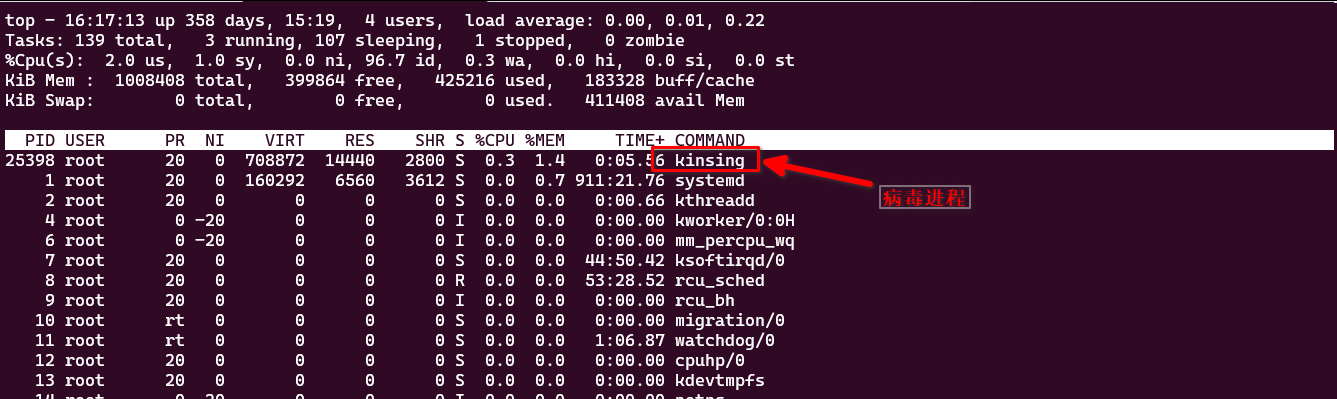
发现kinsing 进程
果断干掉
/etc/selinux/config 文件被修改,
再给它改回来 (之前是disabled )
SELINUX=enforcing
据说这个跟安全相关
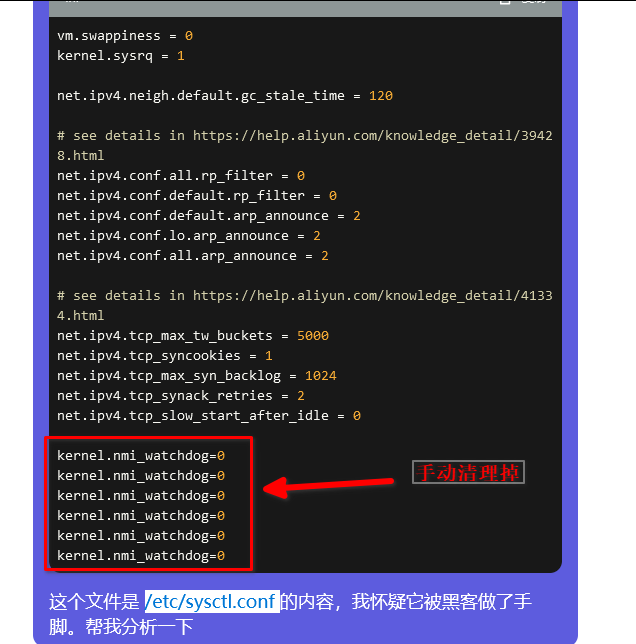
/etc/sysctl.conf文件也被修改了。
发现尾部增加了若干 watchdog = 0 的内容。果断清理掉
至此,算是机器又可以用了。不过有没有其他后门不知道,找时间还是要换机器的。